








10 products tested & ranked

We Tested 10 AI Email Writing Assistants — Here's What's Actually Worth It

Honest reviews of AI tools that help you draft, edit, and optimize emails in seconds — from sales outreach to marketing copy.

Featuring:Grammarly·Lavender·Jasper·Copy.ai·MailMaestro+5 more

Helping 12,000+ professionals choose the right tools

Quick Answer

Our Top 3 Picks at a Glance

Best Overall
9.0
Grammarly logo
Grammarly

Free plan available, Pro $12/mo (annual), Enterprise custom pricing

The world's most widely used AI writing assistant with over 40 million daily users, offering real-time grammar, tone, and style corrections across 500,000+ apps and websites.

Best for Small Teams
8.7
Lavender logo
Lavender

Free Basic plan, Starter $27/mo, Pro $45/mo, Teams from $89/user/mo

AI-powered email coaching platform that scores your emails in real-time, provides personalization suggestions, and helps sales teams write more effective outreach that gets replies.

Best Value
8.2
Jasper logo
Jasper

Creator from $39/mo, Pro from $59/mo, Business custom pricing

AI-powered marketing platform that helps teams create on-brand content at scale, including emails, ads, blog posts, and social media copy using multiple AI models.

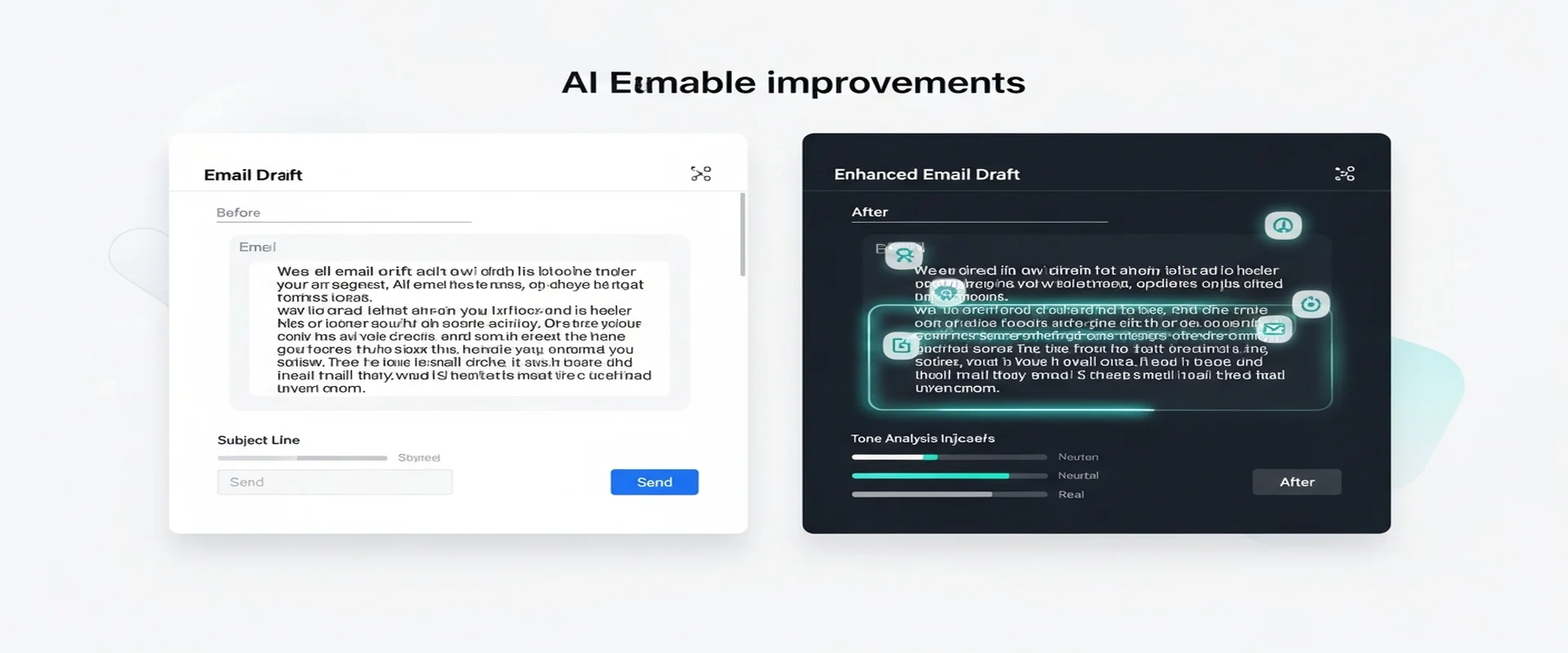
The gap between a good email and a great email is often just a few words — but finding those words consistently is where most people struggle. AI email writing assistants solve this by offering real-time coaching, tone adjustment, and complete draft generation that matches your voice and intent.

This category spans a wide range of tools: from universal writing assistants like Grammarly that improve everything you type, to specialized sales email coaches like Lavender that score your outreach and suggest improvements, to full AI content generators like Jasper that create complete emails from a brief prompt.

We tested each tool by composing real business emails across scenarios — sales outreach, customer support replies, marketing copy, and internal communications. Our evaluation focused on writing quality, tone accuracy, speed improvement, integration with email clients, and learning curve.

0Products Tested
0+Hours of Testing
0Expert Reviewers

Affiliate Disclosure: We may earn affiliate commissions when you purchase through links on this site. This never influences our ratings or recommendations. Our reviews are based on independent, hands-on testing. We believe in full transparency about how we make money. Read our full disclosure →

Our Top Picks

#1 Top Pick
Grammarly logo
Grammarly

Best Overall

9.0
Excellent
#2 Runner Up
Lavender logo
Lavender

Best for Sales

8.7
Very Good
#3 Also Great
Jasper logo
Jasper

Best for Marketing

8.2
Very Good
#1 Our Top Pick
Editor's Choice
Free plan available, Pro $12/mo (annual), Enterprise custom pricing

Professionals and teams who need polished, error-free writing across all communication channels with minimal learning curve

9.0/ 10Excellent
Ease of Use9.5
Integration9.5
Email Quality8.5
Personalization7.5

Head-to-Head Comparison

Feature
Grammarly logoGrammarly9.0/10
Lavender logoLavender8.7/10
Jasper logoJasper8.2/10
Copy.ai logoCopy.ai8.0/10
MailMaestro logoMailMaestro8.3/10
Shortwave logoShortwave8.6/10
Rytr logoRytr7.8/10
Writesonic logoWritesonic7.8/10
Missive logoMissive8.5/10
Flowrite logoFlowrite7.2/10
Starting PriceFree plan available, Pro $12/mo (annual), Enterprise custom pricingFree Basic plan, Starter $27/mo, Pro $45/mo, Teams from $89/user/moCreator from $39/mo, Pro from $59/mo, Business custom pricingFree plan available, Starter $49/mo, Advanced $249/mo, Enterprise customFree plan available. Pro at $15/user/mo with unlimited generation. Enterprise pricing on request.Free plan available. Personal at $8.50/seat/mo. Pro at $18/seat/mo. Business at $30/seat/mo. Premier at $45/seat/mo.Free plan available, Saver $9/mo, Unlimited $29/moFree plan available, Individual from $16/mo, Standard $79/mo, Professional $199/moFree plan for up to 3 users. Starter at $14/user/mo. Productive at $26/user/mo. Business at $45/user/mo.Flowrite is now part of MailMaestro. Previously ~$15/mo. Current users directed to MailMaestro Pro at $15/user/mo.
Free Plan
Starting Price$12/mo$27/mo$39/mo$49/mo$15/user/mo$8.50/seat/mo$9/mo$16/mo$14/user/mo$15/user/mo (via MailMaestro)
Email Quality8.59.08.58.08.58.57.57.58.07.8
Tone Control8.09.08.57.58.08.07.57.07.57.5
Email Client Integration
Template Library
Multi-language Support
Team Collaboration
Get Grammarly FreeTry Lavender FreeTry Jasper FreeTry Copy.ai FreeTry MailMaestro FreeTry Shortwave FreeTry Rytr FreeTry Writesonic FreeTry Missive FreeTry MailMaestro (Flowrite)

Detailed Reviews

#2Lavender logo
8.7/ 10Very Good

Lavender

Editor's Choice
Best for SalesSDRs, account executives, and sales teams who need to write more effective cold emails and outreach that generates replies
Ease of Use9.0
Integration8.5
Email Quality9.0
Personalization9.5

Pros

  • Real-time email scoring provides immediate, actionable feedback on every message
  • Deep personalization with prospect data from LinkedIn and social profiles
  • Seamless integration with major sales tools like Salesloft, HubSpot, and Apollo
  • Coaching dashboard gives managers visibility into team email performance
  • Lightweight tool with minimal learning curve that works directly in your email client

Cons

  • Primarily focused on sales emails — less useful for non-sales communication
  • Free plan limited to only 5 emails per month, essentially a trial
  • Experienced salespeople may find suggestions lack creativity beyond surface-level personalization
  • Occasional glitches reported with Gmail and LinkedIn integration scoring

Pricing: Free Basic plan, Starter $27/mo, Pro $45/mo, Teams from $89/user/mo

AI-powered email coaching platform that scores your emails in real-time, provides personalization suggestions, and helps sales teams write more effective outreach that gets replies.

Verified this week

#3Jasper logo
8.2/ 10Very Good
Best for MarketingMarketing teams and agencies producing diverse content at scale who need brand consistency and team collaboration
Ease of Use8.0
Integration7.5
Email Quality8.5
Personalization8.5

Pros

  • Exceptional Brand Voice technology keeps all content on-brand across the entire team
  • 50+ templates covering emails, ads, blogs, and social media with high-quality output
  • Strong team collaboration features including shared workspaces and document editing
  • Supports 30+ languages for global marketing operations
  • Jasper Studio allows custom AI workflow creation without coding

Cons

  • Premium pricing makes it expensive for solo users or small teams
  • Steep learning curve to master advanced features like Studio and Agents
  • Output often requires human editing to add unique brand personality
  • No free plan available — only a 7-day free trial

Pricing: Creator from $39/mo, Pro from $59/mo, Business custom pricing

AI-powered marketing platform that helps teams create on-brand content at scale, including emails, ads, blog posts, and social media copy using multiple AI models.

Verified this week

#4Copy.ai logo
8.0/ 10Very Good
Sales and marketing teams needing versatile AI content generation with workflow automation and multi-model access
Ease of Use8.5
Integration8.5
Email Quality8.0
Personalization7.5

Pros

  • Access to multiple AI models (GPT-4, Claude) within a single platform
  • Generous free plan with 2,000 words and Brand Voice included
  • Powerful Workflow Builder automates repetitive content tasks
  • Extensive template library for emails, social media, and marketing copy

Cons

  • Workflow features require the $249/month Advanced plan
  • Long-form content can lack accuracy and requires fact-checking
  • Higher pricing compared to direct LLM subscriptions like ChatGPT Plus at $20/month

Pricing: Free plan available, Starter $49/mo, Advanced $249/mo, Enterprise custom

AI-powered Go-to-Market platform that generates email copy, sales outreach, and marketing content with access to multiple LLMs including GPT-4 and Claude.

Verified this week

#5MailMaestro logo
8.3/ 10Very Good
Professionals in Outlook or Gmail who want fast AI-powered email writing with enterprise-grade security and multi-language support
Ease of Use8.8
Integration8.0
Email Quality8.5
Personalization7.8

Pros

  • Excellent email quality that transforms bullet points into polished professional prose
  • Deep native integration with both Outlook and Gmail
  • Very competitive pricing at $15/mo compared to Microsoft Copilot at $30/mo
  • Enterprise-grade security with SOC 2 compliance and no-training data policy
  • Thread and attachment summarization saves significant time on long conversations

Cons

  • Limited to email workflows only, no broader productivity features
  • Free plan has restrictive daily generation limits
  • Some languages still lack the same quality as English output

Pricing: Free plan available. Pro at $15/user/mo with unlimited generation. Enterprise pricing on request.

MailMaestro is an AI-powered email writing assistant for Outlook and Gmail that transforms bullet points into polished professional emails, generates context-aware replies, and summarizes long threads in seconds.

Verified this week

#6Shortwave logo
8.6/ 10Very Good
Gmail-focused professionals and teams who want AI natively integrated into every aspect of their email experience for faster processing and intelligent organization
Ease of Use8.8
Integration8.8
Email Quality8.5
Personalization8.5

Pros

  • AI is deeply integrated into every aspect of the email experience, not bolted on
  • Exceptional thread summarization that condenses complex conversations instantly
  • Powerful AI search across entire email history answers complex questions
  • Affordable Personal plan at $8.50/mo makes AI email accessible
  • Calendar integration enables scheduling directly from the AI assistant

Cons

  • Gmail only - no support for Outlook, Yahoo, or other email providers
  • No native desktop apps, relies on web and mobile interfaces
  • Limited third-party integrations beyond HubSpot and Salesforce

Pricing: Free plan available. Personal at $8.50/seat/mo. Pro at $18/seat/mo. Business at $30/seat/mo. Premier at $45/seat/mo.

Shortwave is an AI-native email client for Gmail that reimagines inbox management with intelligent thread summaries, AI-powered replies, smart bundling, calendar integration, and powerful search across your entire email history.

Verified this week

#7Rytr logo
7.8/ 10Good
Freelancers, students, and small businesses who need affordable AI writing for short-form content like emails, social posts, and product descriptions
Ease of Use9.0
Integration6.5
Email Quality7.5
Personalization7.0

Pros

  • Extremely affordable at $9/month with unlimited content generation
  • Dead-simple interface with no learning curve for beginners
  • 40+ use cases and 20+ tones cover most short-form content needs
  • Free plan offers full feature access without gating premium capabilities

Cons

  • Long-form content quality falls short compared to premium competitors
  • Limited integrations — no direct email client plugins or CRM connections
  • Content can feel repetitive and generic without significant manual editing
  • No team collaboration features — strictly a single-user tool

Pricing: Free plan available, Saver $9/mo, Unlimited $29/mo

Budget-friendly AI writing assistant with 40+ use cases and 20+ writing tones, offering powerful short-form content generation including emails, social posts, and product descriptions starting at just $9/month.

Verified this week

#8Writesonic logo
7.8/ 10Good
Content marketers and SEO specialists who need AI-generated email copy combined with powerful search optimization and AI visibility tracking
Ease of Use8.0
Integration8.0
Email Quality7.5
Personalization7.5

Pros

  • Multiple AI models including GPT-4o for generating high-quality email copy, subject lines, and marketing content
  • All-in-one platform combining content creation, SEO tools, and AI search tracking in one dashboard
  • 50+ content templates for different email types including cold outreach, follow-ups, and newsletters
  • Direct WordPress publishing integration and Zapier connectivity for workflow automation

Cons

  • AI-generated content often requires significant editing and fact-checking before use
  • Most powerful features locked behind Professional plan at $249/month which is expensive
  • Not a dedicated email marketing platform; email writing is one feature among many content types
  • Limited tone customization compared to dedicated email writing tools like Lavender or Rytr

Pricing: Free plan available, Individual from $16/mo, Standard $79/mo, Professional $199/mo

AI content and SEO platform that combines email writing, blog generation, and advanced GEO (Generative Engine Optimization) tracking with 70+ templates and 25+ language support.

Verified this week

#9Missive logo
8.5/ 10Very Good
Teams of 3-50 who need collaborative email management with real-time co-editing, internal chat, and AI-assisted communication workflows
Ease of Use8.2
Integration9.0
Email Quality8.0
Personalization8.5

Pros

  • Best-in-class team email collaboration with real-time co-editing of drafts
  • Unifies email, chat, SMS, WhatsApp, and social media in a single interface
  • AI features include smart drafting, automated labeling, and pre-send quality checks
  • Generous free plan for up to 3 users with core collaboration features
  • Guest access allows external collaborators without full accounts

Cons

  • Not designed for individual use or personal email management
  • AI features only available on the Productive plan at $26/user/mo and above
  • Lighter analytics and reporting compared to dedicated help desk tools
  • No built-in knowledge base or native voice channel support

Pricing: Free plan for up to 3 users. Starter at $14/user/mo. Productive at $26/user/mo. Business at $45/user/mo.

Missive is a collaborative inbox platform that unifies email, chat, SMS, and social messaging with powerful AI features for team-based communication, assignments, and real-time collaboration on shared conversations.

Verified this week

#10Flowrite logo
7.2/ 10Good
Professionals who want fast instruction-based email writing, now best accessed through the MailMaestro platform
Ease of Use8.5
Integration6.5
Email Quality7.8
Personalization7.0

Pros

  • Pioneered the simple instruction-to-email approach for fast composition
  • Excellent multi-language support with natural-sounding output in 15+ languages
  • Lightweight Chrome extension with minimal workflow disruption
  • Technology continues to evolve within MailMaestro platform

Cons

  • No longer available as a standalone product after Maestro Labs acquisition
  • Chrome-only extension limited users on other browsers
  • Lacked thread summarization and inbox management features competitors offered
  • No native Outlook integration, only worked through web clients

Pricing: Flowrite is now part of MailMaestro. Previously ~$15/mo. Current users directed to MailMaestro Pro at $15/user/mo.

Flowrite is an AI writing assistant for email and messaging that generates complete emails from short instructions, now integrated into MailMaestro after its acquisition by Maestro Labs.

Verified this week

Our Testing Methodology

We composed 50+ real emails per tool across sales, support, and marketing scenarios. Evaluation criteria included AI writing quality, tone accuracy, personalization depth, email client integration, learning curve, and measurable productivity gains. Sales-specific tools were also assessed on reply rate impact.

Frequently Asked Questions

An AI email writing assistant is software that uses artificial intelligence to help you compose, edit, and optimize emails more effectively and efficiently. These tools span a wide range of capabilities: grammar and style checkers like Grammarly catch errors, improve clarity, and suggest tone adjustments in real-time as you type. Full email generators like Jasper and Copy.ai can produce complete email drafts from brief prompts or bullet points, handling everything from marketing newsletters to sales outreach. Sales-specific tools like Lavender go further by scoring your emails on effectiveness metrics and providing real-time coaching to improve reply rates. Some tools operate as browser extensions that work within Gmail or Outlook, while others are standalone platforms. The common thread is using AI to reduce the time and effort required to write professional, engaging emails.

Yes, advanced AI writing assistants can learn and replicate your unique writing style with impressive accuracy. Jasper offers a brand voice training feature where you can upload examples of your writing, and the AI will match your tone, vocabulary, and sentence structure in generated content. MailMaestro analyzes your past email history to learn how you communicate and generates drafts that mirror your personal style. Grammarly adapts its tone suggestions based on your preferences, learning over time whether you tend toward formal or casual communication. The key to getting natural-sounding output is providing the AI with sufficient examples of your writing and refining the results during the first few weeks of use. Most users find that after an initial adjustment period, AI-generated drafts require only minor tweaks to feel authentically theirs — saving significant time while maintaining their personal voice.

Yes, AI-written emails can be highly effective for sales when used as a starting point and enhanced with personal touches. Studies and user reports indicate that AI-generated sales emails can achieve comparable or even better engagement metrics than fully manual emails, particularly when volume is a factor. Tools like Lavender are specifically designed for sales email optimization — they score your email on factors like readability, length, personalization, and subject line effectiveness, then provide real-time coaching to improve each message before you send it. The most successful approach is to use AI to generate an initial draft that handles structure, value proposition framing, and call-to-action placement, then add prospect-specific details and personal observations that demonstrate genuine research. This hybrid approach combines the consistency and speed of AI with the authenticity that drives meaningful sales conversations.

Language coverage varies significantly across AI email writing assistants. Grammarly supports grammar and style checking in over 20 languages, with the most comprehensive features available for English. Jasper and Copy.ai support content generation in 30 or more languages, leveraging large language models that have been trained on multilingual datasets. Writesonic and Rytr also offer broad multilingual support for email content creation. Accuracy and natural-sounding output are strongest for English, with steadily improving quality for major European languages like German, French, Spanish, and Portuguese, as well as widely spoken Asian languages like Japanese and Chinese. For business-critical communications in non-English languages, it is advisable to have a native speaker review AI-generated content, as nuances in tone, formality levels, and cultural context can sometimes be missed. Most tools are continuously improving their multilingual capabilities with each model update.

Most AI email writing assistants integrate seamlessly with popular email clients through browser extensions or native plugins. Grammarly offers the broadest compatibility, working across over 500,000 apps and websites including Gmail, Outlook, LinkedIn, and virtually any text field in your browser via its Chrome, Firefox, Safari, and Edge extensions. MailMaestro provides a direct integration with Microsoft Outlook as a native add-in, bringing AI drafting and summarization directly into your inbox workflow. Lavender operates as a Chrome extension for Gmail and also integrates with sales engagement platforms like Outreach and Salesloft. Jasper and Copy.ai work primarily through their own web interfaces but offer browser extensions for quick access. Flowrite integrates with Gmail and LinkedIn via a Chrome extension. When choosing a tool, check whether it supports your specific email client and whether the integration is a lightweight overlay or a deep native connection, as this affects the smoothness of the writing experience.

Never Miss a Review Update

Join thousands of SaaS buyers who get our latest rankings, new tool reviews, and exclusive comparison guides delivered weekly.

Free forever. Unsubscribe anytime. No spam.

Alex Thompson

Written by

Alex ThompsonSenior Technology Analyst

Alex Thompson has spent over 8 years evaluating B2B SaaS platforms, from CRM systems to marketing automation tools. He specializes in hands-on product testing and translating complex features into clear, actionable recommendations for growing businesses.

SaaS ReviewsProduct AnalysisB2B SoftwareTech Strategy
Best AI Email Writing Assistants 2026 | Reviews & Comparison