
What AI Email Automation Actually Does (And Why It Matters in 2026)
AI email automation is not just another way to schedule a drip sequence. In 2026, it means software that reads your incoming mail, classifies it, drafts replies, routes threads to teammates, and adjusts send-time and copy based on live engagement signals — all without you touching a keyboard. Email marketing remains one of the highest-ROI digital marketing channels, yet most teams are still running it like it's 2019: static rules, manual segmentation, copy-pasted templates.
That gap is the opportunity. Teams that set up AI email automation properly are compressing hours of daily inbox work into minutes, running hyper-personalized campaigns at list sizes that would have required a full copywriting staff five years ago, and continuously improving performance because the AI learns from every open, click, and reply. This guide walks you through how to actually set that up — from picking the right tool to configuring your first intelligent workflow.
Step 1 — Audit Your Current Email Stack Before Adding AI
The biggest mistake people make is layering AI on top of a broken process. Before you sign up for anything, answer three questions: Where does email slow you down most? Is it writing, sorting, routing, or follow-up? Which emails repeat with near-identical content? And what data do you already have — purchase history, CRM tags, behavioral events — that an AI could use to personalize?
Identify Your Automation Tier
AI email tools split into roughly three tiers. Personal inbox assistants (like Superhuman or Spark Mail) focus on individual productivity: triage, AI-written replies, reminders. Outreach and cold email platforms (like Instantly, Smartlead, or Lemlist) handle sequence automation, personalization at scale, and deliverability. Full marketing automation platforms (like Mailchimp or ActiveCampaign) orchestrate campaigns across your entire subscriber base with predictive send-time, behavioral triggers, and revenue attribution.
Most businesses need one tool from tier two or three, not all three. Picking the wrong tier is expensive and creates fragmentation — you end up with three tools that all touch email but don't talk to each other.
Step 2 — Choose the Right AI Email Tool for Your Use Case
The market is noisy. Here is an honest breakdown of the leading platforms and where they actually win, based on their published feature sets and positioning:
| Tool | Best For | Starting Price | AI Standout Feature |
|---|---|---|---|
| Mailchimp | SMB marketing campaigns | Free; Essentials from $13/mo | Predictive segmentation, send-time optimization |
| ActiveCampaign | B2B nurture + CRM automation | Starter from $15/mo | Predictive sending, AI-generated automation paths |
| Instantly | Cold outreach at scale | Growth from $37/mo | AI sequence writer, inbox rotation, warm-up |
| Smartlead | Agency-scale cold email | Basic from $39/mo | Multi-inbox warm-up, AI reply detection |
| Lemlist | Personalized cold + LinkedIn outreach | Email Starter from $59/mo | Dynamic image/video personalization, AI icebreakers |
| Jasper | AI copywriting for email campaigns | Creator from $49/mo | Brand voice training, long-form email campaigns |
Newsletter
Get the latest SaaS reviews in your inbox
By subscribing, you agree to receive email updates. Unsubscribe any time. Privacy policy.
If you are running marketing campaigns to an opt-in list, Mailchimp and ActiveCampaign are the safe starting points — they have the broadest AI automation feature sets for that use case, and their entry prices are low enough to test without a major budget commitment. If you are doing cold outreach, Instantly and Smartlead are the two dominant platforms in 2026, and both have strong deliverability infrastructure baked in. Lemlist is the better choice if your outreach is highly personalized and multi-channel.
Step 3 — Set Up Your First AI Automation Workflow
The theory sounds good; the setup is where most people stall. Here is a concrete, step-by-step approach that works regardless of platform.
Connect Your Data Sources First
AI personalization is only as good as the data behind it. Before building any workflow, connect your CRM, e-commerce platform, or website analytics to your email tool. Without behavioral data — what pages a contact visited, what they purchased, how long they've been a subscriber — your AI is personalizing against demographic fields at best, which is barely better than a mail merge.
Most platforms handle this via native integrations or Zapier. ActiveCampaign, for example, has deep CRM integration built in, which is why it performs better for B2B nurture than a lighter tool like Mailchimp when deal-stage-based triggers matter.
Build a Trigger-Action Map Before Touching the UI
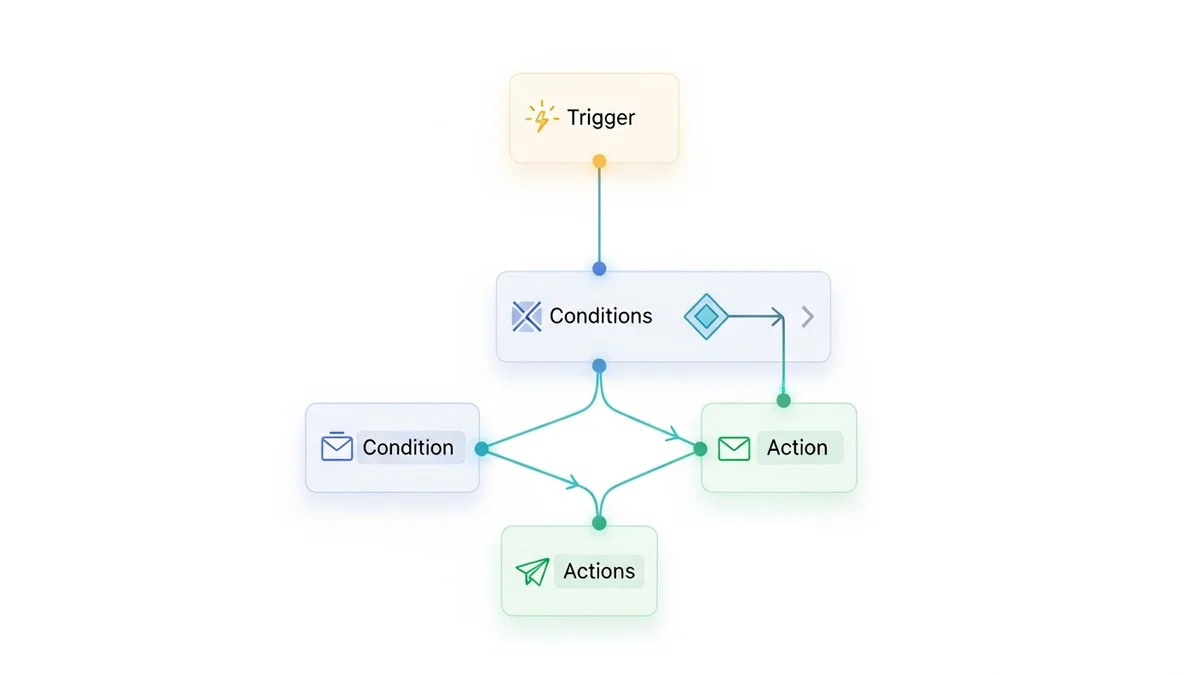
Sketch your workflow on paper first. Every AI automation has three components: a trigger (what event starts it), a condition (what qualifies a contact for this branch), and an action (what the AI does — send an email, assign a tag, alert a rep). Common high-value triggers to start with:
- New subscriber joins a list → AI sends a welcome sequence with dynamically personalized content based on signup source
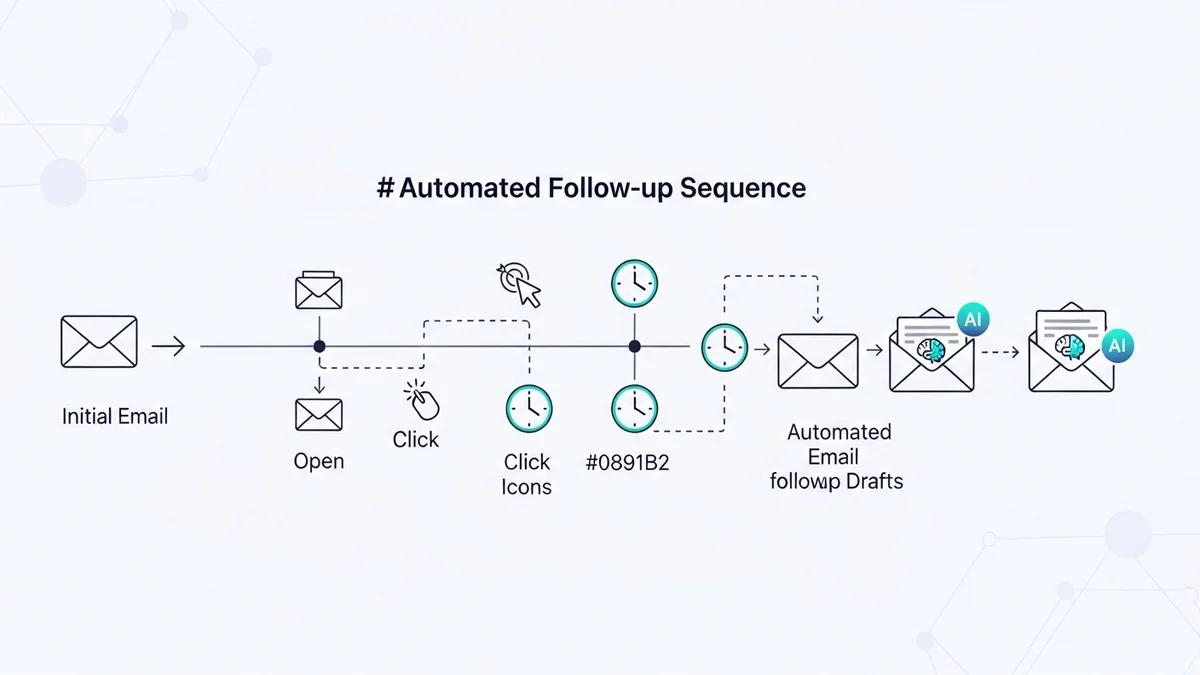
- Contact opens an email 3+ times without clicking → AI queues a re-engagement variant with different CTA
- Contact clicks a pricing page link → AI triggers a sales-rep alert and sends a follow-up within 10 minutes
- Purchase completed → AI sends a cross-sell sequence based on product category
Use AI Copywriting Tools to Build Your Template Library
Even the best automation platform still needs copy. This is where a dedicated AI writing tool like Jasper or Copy.ai earns its place in the stack. Rather than writing every email variant manually, you can generate a base email, create five subject line variants, and produce personalized opening lines at scale. Jasper's brand voice feature is particularly useful here — once trained, it keeps your AI-generated copy consistent in tone across the entire sequence, which matters for brand credibility in longer nurture flows.
The practical workflow: draft the campaign structure in your ESP, use Jasper or Copy.ai to generate and iterate the copy, paste the finalized versions back into the platform, and let the AI handle send-time optimization and A/B test selection from there.
Step 4 — Configure AI Personalization and Segmentation
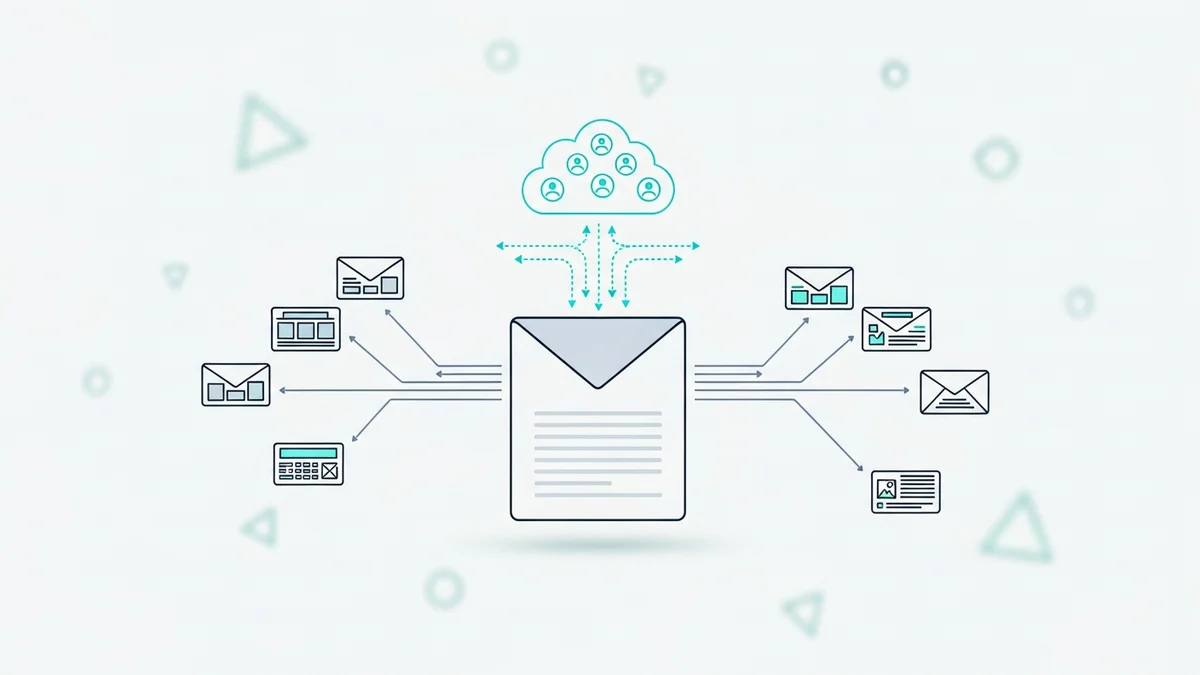
Hyper-personalization is the phrase every email marketing vendor uses. What it means in practice is sending different content to different people based on something more meaningful than their first name. In 2026, AI-driven segmentation analyzes engagement patterns and customer preferences continuously, updating segments in real time rather than refreshing on a weekly batch schedule.
Start With Behavioral Segmentation, Not Demographic
Demographic segments (industry, company size, location) are a starting point. Behavioral segments — based on what someone actually did, how recently, and how often — are where AI delivers real lift. Set up segments for: highly engaged subscribers who opened at least 3 of your last 5 campaigns; lapsed subscribers who haven't opened in 90 days; high-intent visitors who hit your pricing or demo pages; and customers who purchased in the last 30 days versus 6+ months ago.
The AI's job is to figure out which content variation each segment responds to, and to move contacts between segments automatically as their behavior changes. This is what "adapts in real time" actually looks like — it's not magic, it's well-structured behavioral data powering rules that update continuously.
Set Up Predictive Send-Time Optimization
Both Mailchimp and ActiveCampaign offer predictive send-time features that analyze individual subscriber engagement history to determine the optimal delivery window per contact. Enable this for any broadcast campaign going to a list larger than 1,000 contacts — the open rate lift is consistent enough to justify the minimal setup cost. For smaller lists, it matters less because the data sample per contact is too thin to be statistically meaningful.
Step 5 — Monitor, Measure, and Let the AI Improve
The setup phase ends; the optimization phase never does. This is where most teams drop the ball — they build the automation, watch it for two weeks, and then ignore it. AI email automation gets meaningfully better over time as it accumulates engagement data, but only if you review performance signals and feed corrections back in.
The Metrics That Actually Matter
Open rate is increasingly unreflective of real engagement due to Apple Mail Privacy Protection inflating open events. Focus instead on: click-to-open rate (CTOR), which measures clicks as a percentage of actual opens and filters out ghost opens; reply rate for cold outreach sequences; conversion rate tied to whatever action the email is designed to drive; and list health metrics — bounce rate, unsubscribe rate, and spam complaint rate, which signal deliverability risk before it becomes a problem.
When to Override the AI and When to Trust It
AI send-time and subject line recommendations are worth trusting after 60 to 90 days of data accumulation. AI-generated copy still needs human review, especially for anything touching pricing, legal, or brand-sensitive positioning. AI segmentation recommendations deserve scrutiny when a segment definition seems counterintuitive — sometimes the model finds a real pattern, sometimes it's overfitting on a small sample. Build a lightweight monthly review into your process: look at which automations are underperforming, examine what the AI is actually sending to each segment, and adjust the triggers or copy when something looks off.
The Realistic Timeline and What to Expect
Week one is tool selection and data connection. Week two is building and testing your first two or three workflows with small send volumes. Weeks three and four, you scale to your full list and let the AI accumulate engagement data. By the end of month two, you should be seeing meaningful performance differences between AI-optimized and manually-set parameters.
The teams that get the most out of AI email automation treat it as an ongoing system, not a one-time setup. The AI handles the repetitive optimization work — subject line testing, send-time adjustment, segment maintenance — and frees human attention for the strategic decisions: what campaigns to run, what offers to make, and what the copy positioning should say. That division of labor is what makes the difference between AI automation as a cost center and AI automation as a genuine revenue lever.
If you are starting from zero and unsure where to begin, ActiveCampaign at $15/month offers the most complete combination of AI automation, CRM integration, and list management for the price — it is the strongest all-around starting point for businesses that care about both marketing and sales email. For teams focused purely on cold outreach volume, Instantly is the leaner, faster option to get sequences running in a day.